Always On the Verge: What Keeping Your Hand on the Mouse Is Really Doing to You
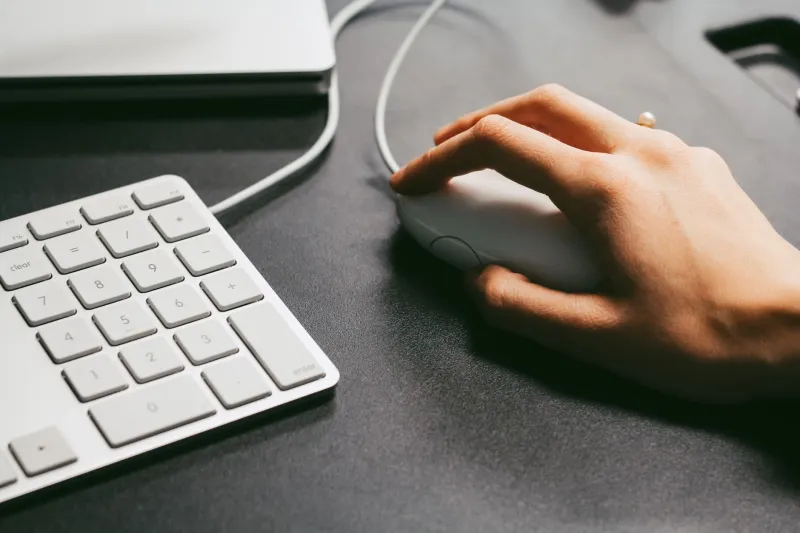
Picture yourself at your desk, technically on a break. Maybe you've got a cup of coffee going, you're half-watching something on a second screen, or you're just sort of... sitting there. But your hand is still resting on the mouse. You're not clicking anything. You're not really working. And yet — you're not really resting either.
That in-between state has a name in neuroscience circles: anticipatory readiness. It's the low hum of alertness your nervous system maintains when it believes action might be required at any moment. And if you spend most of your waking hours within arm's reach of an interactive device, your body may never fully power down — even when you think it has.
The Body Keeps the Score (Even When You've Closed the Tab)
When your fingers rest on a keyboard or your palm cradles a mouse, your brain doesn't register that as neutral. Input devices are action interfaces — they exist to do things, and your nervous system knows it. The motor cortex stays primed. Muscle tension in your forearms, shoulders, and neck remains slightly elevated. Your eyes scan for something to respond to.
This isn't anxiety in the clinical sense. It's subtler than that. Think of it like sleeping with one eye open — technically resting, but not fully restored. Over time, that partial alertness compounds. A lot of people chalk up their end-of-day exhaustion to the volume of work they did, when the more accurate culprit is the duration of low-grade readiness they sustained.
Researchers studying computer-related fatigue have found that even passive screen time — watching a video, scrolling slowly — activates different neural pathways than, say, reading a printed book or taking a walk. The presence of an interactive interface keeps part of the brain on standby, waiting for a prompt it can respond to.
The Trackpad Is the New Leash
Smartphones got a lot of press for collapsing the boundary between work and personal life. But laptops and desktop setups do something arguably more insidious: they create a physical posture of engagement that we maintain for hours without questioning it.
Think about how you sit at a computer versus how you sit on a couch reading a novel. The body positions are fundamentally different. At a desk, you're oriented toward something, leaning in, ready to act. That posture signals to your brain that you're in a mode of doing. Even if you're technically idle, the setup keeps you in a doing shape.
This is part of why so many remote workers in the US report feeling more drained than they did in an office — even when their commute disappeared and their schedule technically got more flexible. The physical environment of "at the computer" never fully switches off, because the computer is always right there, always within reach, always just a tap away from demanding something.
What a Genuine Offline Zone Actually Looks Like
The concept of an "offline zone" gets floated a lot in productivity and wellness circles, but it usually gets reduced to "put your phone in another room." That's a start, but it doesn't go far enough if your laptop is still open on the coffee table and your smart TV is queued up and waiting.
A genuine offline zone is less about the absence of screens and more about the absence of input interfaces. It's a space — physical or temporal — where nothing is waiting for you to interact with it. No cursor to move. No keyboard to tap. No touchscreen to swipe.
Here's what that might actually look like in practice:
- Designate one room in your home as device-free — not just phone-free, but free of laptops, tablets, and anything with a touchscreen. The bedroom is the obvious candidate, but a reading nook, a back porch, or even a specific chair can work.
- Create time blocks with device distance — not just "don't use your phone" but physically relocate away from all your devices for a set window. Twenty minutes counts. So does an hour before bed.
- Rethink your wind-down ritual — if your current version of relaxing still involves a trackpad or a remote control, your nervous system is still in a version of work mode. Consider replacing one screen-adjacent habit with something genuinely hands-off: a walk, stretching, cooking without a recipe on your phone.
- Let devices be off, not just idle — a sleeping laptop on your desk is still a presence your brain registers. Close it. Put it away. The physical act of storing a device signals closure in a way that sleep mode simply doesn't.
The Zen Angle: Stillness Requires Distance
There's a reason meditation traditions across cultures emphasize the position of the hands. Open palms resting in the lap. Fingers uncurled. No grip, no tool, no interface. It's not incidental — it's foundational. The hands communicate to the mind whether you're in a mode of doing or a mode of being.
You don't have to meditate to benefit from this principle. You just have to notice what your hands are doing right now, and what that's telling the rest of your nervous system.
The mouse will be there when you get back. The inbox will wait. The cursor, for once, doesn't need to move.
Starting Small
If the idea of a full device-free room feels like too much of a lift, start with a single daily practice: one meal, no devices on the table. Not in your pocket — off the table, in another room. Notice how your shoulders feel. Notice whether your hands reach for something that isn't there. That reaching reflex is the thing worth paying attention to.
From there, you can build. Add a morning window before you open the laptop. Add an evening walk without earbuds. Each gap you create is a small act of recalibration — a reminder to your nervous system that stillness is allowed, that nothing is about to be required of you, that you can, for a moment, simply exist without an interface between you and the world.
That's not a productivity hack. It's just rest. Real rest. And it turns out we're pretty bad at it — mostly because we've forgotten what it feels like to have our hands completely, genuinely, unreservedly free.