Spend Your Interruptions Wisely: The Case for a Personal Notification Budget
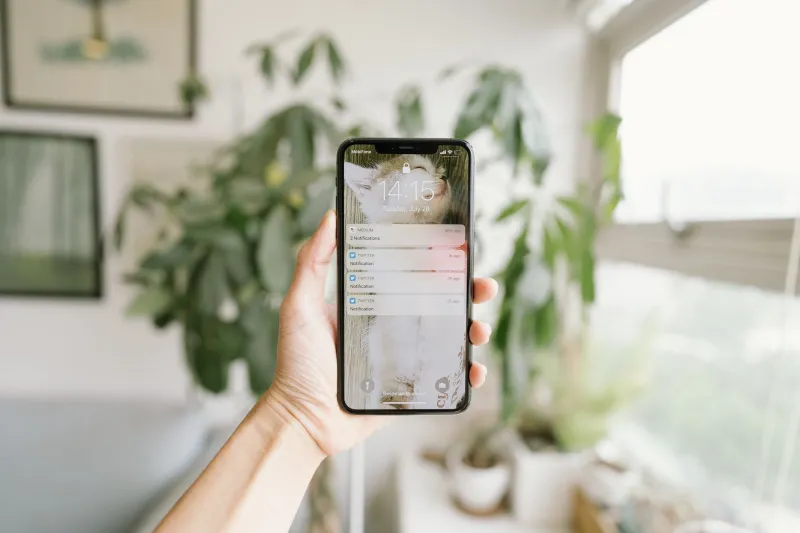
Imagine your attention as a checking account. Not a savings account with compounding interest — just a plain, finite checking account that resets every morning when you wake up. Every notification that lands on your lock screen is a debit. Some are small. Some are surprisingly expensive. And most of us have been letting apps swipe our card without ever checking the balance.
The average American receives somewhere between 65 and 80 push notifications per day, depending on which study you read. That number alone isn't the problem. The problem is that almost none of us chose those 65 to 80 moments. They happened to us. And just like impulse spending, it's rarely any single purchase that breaks the budget — it's the accumulated, unconsidered drain that leaves you wondering where everything went.
Zen philosophy has a useful concept here: shoshin, or beginner's mind. It asks you to approach something familiar as if you've never seen it before. Try that with your notification settings. Open them cold, like a stranger would. What you'll find is almost certainly not a curated list of intentional choices. It's a graveyard of defaults — permissions you granted at 2 a.m. during an app install, alerts you never turned off after a project ended, and services that have been quietly billing your attention for months.
What a Notification Audit Actually Looks Like
Before you can budget, you need a statement. On an iPhone, go to Settings → Notifications. On Android, it's Settings → Apps → Notifications. Either way, scroll the full list without touching anything yet. Just look.
Count how many apps have notification access turned on. For most people, that number is somewhere between 30 and 60. Now ask yourself: if each of those apps sent you one alert today, how many of those interruptions would you genuinely welcome? How many would you even notice versus reflexively dismiss?
That gap — between what you've allowed and what you actually want — is your notification debt. And like financial debt, it compounds. Every unwanted ping trains your nervous system to be a little more vigilant, a little more braced for interruption. Over time, you stop feeling relaxed even when nothing is buzzing. You're just waiting for the next one.
Write down three categories: Always Welcome, Sometimes Useful, and Why Is This Even On. Sort your apps into those buckets before you change a single setting. The act of categorizing is clarifying in a way that just toggling switches isn't.
Setting Your Daily Quota
Here's where the budgeting metaphor gets practical. Financial advisors often talk about giving every dollar a job — the idea that money without a purpose tends to disappear. The same logic applies to your interruption allowance.
Decide, in advance, how many notifications per day feel acceptable to you. Not ideal — acceptable. For some people, that number is ten. For others, it might be thirty. The number matters less than the fact that you chose it.
Once you have a rough figure, work backward. If you're allowing alerts from 45 apps and your quota is 20 notifications a day, something has to give. Start with the easiest cuts: apps that send purely promotional content, social platforms where you already check manually, and any service that has ever notified you about something you didn't care about even once.
Then get more intentional. Ask whether each remaining app deserves real-time access or just scheduled access. Many things that feel urgent — email, most social mentions, news — are perfectly fine to batch into one or two daily check-ins rather than arriving as interruptions throughout the day. iOS's Scheduled Summary feature and Android's notification batching options both make this easier than it used to be.
The Interruption Rights Negotiation
There's a reframe worth sitting with: notifications are not a feature apps give you. They're a privilege you extend to apps. You are the one granting interruption rights. That's a meaningful shift in how you relate to the whole system.
When you think about it that way, the question changes. Instead of asking should I turn this off? — which feels like deprivation — you ask has this app earned the right to interrupt me? That's a much more honest filter. Your group chat with close friends? Probably earns it. The fitness app that sends you a badge every time you close a ring? Probably doesn't.
Some notifications deserve real-time delivery. Texts from people you love. Calendar reminders for things you'd actually miss. Two-factor authentication codes. These are the equivalent of necessary bills — non-negotiable, worth the spend. Everything else is discretionary, and discretionary spending is where budgets live or die.
It also helps to think about when you want to be interruptible, not just by whom. Many people find that certain hours — early morning, dinner, the first hour before bed — should be protected regardless of the source. iOS Focus modes and Android's Do Not Disturb scheduling let you build time-based walls around those windows. Think of it as setting office hours for your attention.
Revisiting the Budget Regularly
A financial budget isn't something you set once and forget. Life changes, priorities shift, subscriptions lapse or multiply. Your notification budget works the same way.
A monthly review takes about ten minutes. Scroll your notification settings again. Notice what's accumulated since last time — new apps, reinstalled ones, services that quietly re-enabled alerts after an update. Trim anything that snuck in without earning its place.
Some people find it helpful to do this alongside another routine: the first Sunday of the month, or the same day they review their bank statement. Pairing it with an existing habit makes it stick.
The goal isn't a perfectly silent phone. Silence for its own sake is just another extreme. The goal is a phone that speaks to you only when it has something worth saying — a device that respects the finite, irreplaceable nature of your focus the same way you're starting to respect it yourself.
The Quieter Life on the Other Side
People who've done a serious notification audit often describe the aftermath the same way: things feel slower, in a good sense. Not because less is happening, but because they're no longer bracing for constant interruption. The baseline anxiety that comes from living on alert — that low-grade vigilance most of us have normalized — starts to lift.
That's the zen of it, really. Not the absence of technology, but the presence of intention. When your phone earns every interruption it makes, the ones that do come through feel meaningful rather than intrusive. You're not just managing alerts anymore. You're deciding, deliberately, what gets access to your life.
And that's a budget worth keeping.